
BOURDON A drone firmware for the M-VAVE FM-1

BOURDON turns the FM-1 into a drone instrument. Three voices each have a style, a free frequency (no notes, no keyboard) and four knobs that you play. Each voice listens to the one before it: it follows its level, plays it through its own filter, or bends its pitch with it (FM). Twelve LFOs, with steps, patterns and loops, move the knobs, free or in time with a clock. Three disruptors, a noise, a pulse and a tone, can break into any voice. A mixer, a delay, a reverb and a compressor come after the voices.
BOURDON replaces the firmware of the FM-1: while BOURDON is on it, your FM-1 is not an FM synthesizer. BOURDON is not a product of M-VAVE, and M-VAVE does not support it.
Play
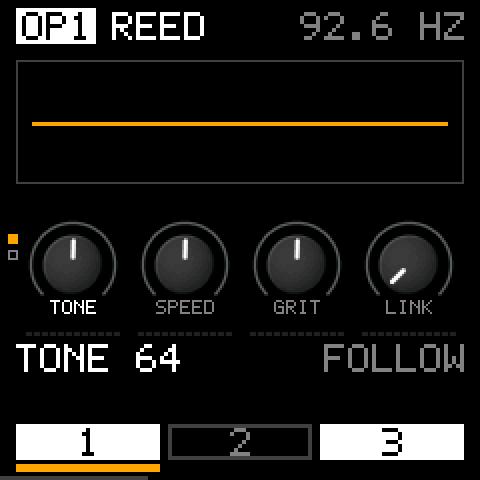
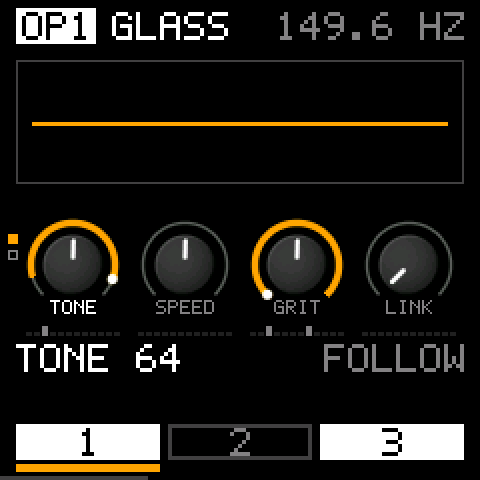
A voice has a style, made in advance: FLOOR, REED, GLASS, GROWL, TIDE or PULSE. Its frequency is free: the screen shows it in hertz, or the note’s name when it is on a note. The knobs are the same on every style, in two layers. Layer 1 is the one you play: the style and the sound. Layer 2 is the one you set: the frequency, the level and the link. A knob at 64 leaves the style as it is.
| Control | What it does |
|---|---|
| OP1, OP2, OP3 | A short press turns the voice on or off. Hold 1 second to select it. Hold it and turn a knob: the voice is selected and the knob is for it. |
| White keys 1 and 2 | The layer in hand: layer 1 or layer 2. Both keys are lit; the one in hand blinks. On the screen, a small square for each layer at the left of the knobs: the filled amber one is the layer in hand. |
| ALGORITHM | Layer 1: STYLE, one style a click. The screen shows its name. Layer 2: the kind of the voice’s link, FOLLOW, THROUGH or FM. |
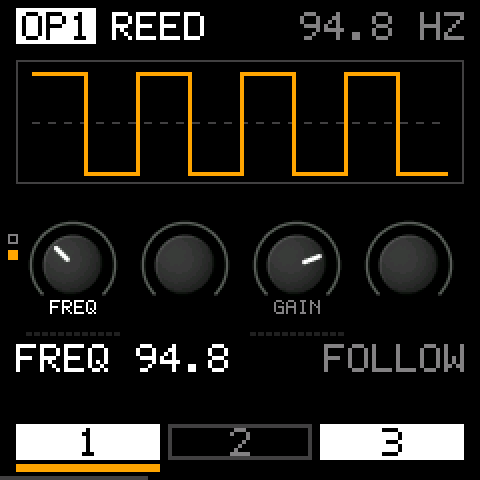
| KNOB1 to KNOB4 | Layer 1: TONE (dark to bright), SPEED (how fast the style moves), GRIT (clean to rough), LINK. Layer 2: FREQ, nothing, GAIN (the voice’s level, the same as in the mixer) and, on a THROUGH voice, OWN. An LFO can move each of these values. |
| FREQ | The voice’s frequency, on KNOB1 in layer 2. A slow turn is very fine; a fast turn goes far, up to an octave for a quarter of a turn. With OCT- held: by notes. With OCT+ held: by octaves. |
| OCT- | Held: a knob snaps. Each click takes the value to the next of its bottom, its middle, its value at power-on and its top. This works on every page. |
| GLO | The end of the chain, on the module open last (the mixer, the first time); again: back to play. |
| FX | The next disruptor’s page: NOISE, CHOP, RING, then the play page again. |
| LFO | Pressed and let go: the LFO bank’s page; again: back. Held: the amounts of the bank’s LFOs. |
| MASTER | The output level. |
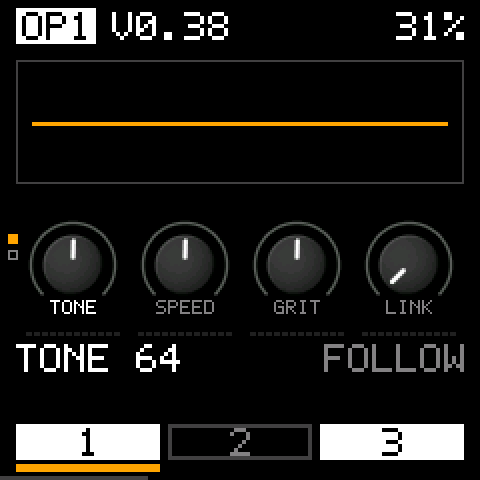
| SEL | Held: the version and the processor’s load. |
| SAVE | Saves all the values: the voices, the mixer, the effects, the disruptors, the LFOs and their amounts, and the tempo. At the next power-on, the FM-1 starts with them, all the voices off. The sound stops for a moment during a save. The light flickers for a second after a good save, and stays dark after a save that failed. |
| EDIT | Random: the selected voice gets a new STYLE, TONE, SPEED, GRIT and LINK, and new LFO amounts on these five, two LFOs at most on each. Its frequency, its GAIN and the twelve LFOs stay. There is no undo: turn the FM-1 off and on to go back to the values saved last. |
| ENV, HOME, ARP, SEQ, PLAY, REC | All the voices off. |
The buttons that have a use are lit on every page: OCT-, OCT+, FX, SEL, LFO, EDIT, GLO and SAVE. The button of the open page blinks: FX on a disruptor’s page, LFO on the LFO bank, GLO in the end of the chain.
The Six Styles
These diagrams explain what each control changes. The FM-1 does not show them on its screen.
Every voice takes the same path. Its style decides what is in the chain.
With FOLLOW, the voice before opens this voice’s filter cutoff as it gets louder, up to 3 octaves. With THROUGH, its sound comes in at the start of this voice’s chain, and OWN sets how much of this voice’s own oscillators is left. With FM, it bends this voice’s pitch. In layer 2, turn ALGORITHM to choose the kind.
In each style’s diagram, the sound goes from left to right:
- White lines carry the sound.
- Orange dotted lines go from a control to the parameter it moves.
- Yellow dashed lines go from an LFO to what it moves.
- The pink line is a feedback cable.
FREQ sets the first oscillator’s pitch; a second oscillator keeps its distance from the first. SPEED sets how fast every LFO of the style goes, from four times slower to four times faster. The filter names say which type of filter BOURDON models. The styles’ values are a first estimate.
FLOOR
Two saws a little apart, slow: a deep, wide drone.
TONE moves the filter’s cutoff, GRIT its resonance.
REED
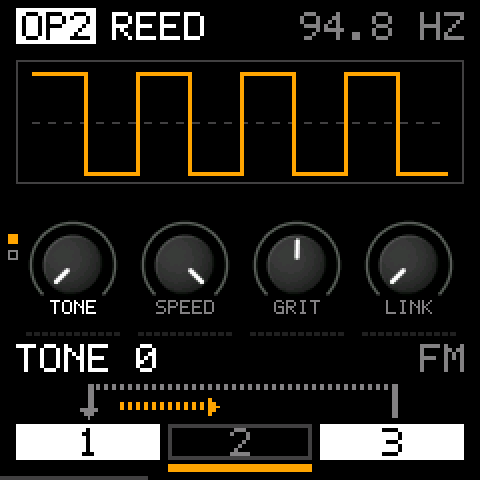
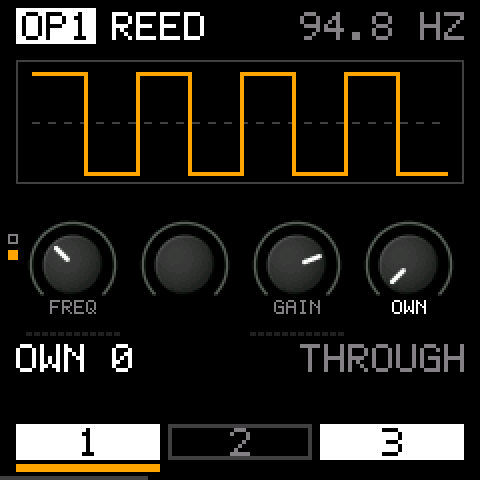
A square near the MS-20’s resonance, with vibrato: nasal, it sings.
TONE moves the filter’s cutoff, GRIT its resonance.
GLASS
A triangle with a short cable round the Wasp: thin, it rings as metal.
TONE moves the filter’s cutoff. GRIT moves the feedback cable’s level, and the resonance a little.
GROWL
A saw, the Polivoks and a loud cable, one LFO moves another: rough, not stable.
TONE moves the filter’s cutoff. GRIT moves the feedback cable’s level, and the resonance a little.
TIDE
A saw and a triangle an octave above, a level that a slow LFO moves: swells.
TONE moves the filter’s cutoff, GRIT its resonance. LFO 1 also moves the voice’s two sends, to the delay and the reverb.
PULSE
A square that a square LFO opens and closes: a rhythm.
TONE moves the filter’s cutoff, GRIT its resonance.
The Links
Each voice listens to the voice before it: OP2 to OP1, OP3 to OP2, and OP1 to OP3. LINK sets how much. At 0, the voice is alone.
- FOLLOW
- The louder the voice before, the brighter this voice: its loudness opens this voice’s filter. This is the kind at power-on.
- THROUGH
- The sound of the voice before goes through this voice’s filter, with this voice’s own sound. This voice must be on to let it through. In layer 2, turn KNOB4 for OWN: how much of this voice’s own oscillators is left, down to none.
- FM
- The sound of the voice before bends this voice’s pitch: a slow voice makes it go up and down, a fast voice gives it a new colour.
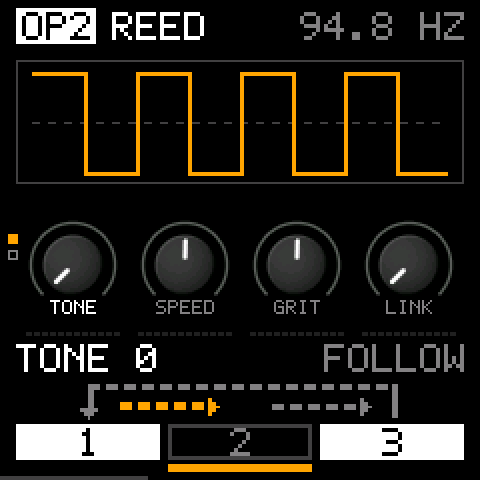
An arrow over the voices’ boxes shows each open link. It is thicker as LINK opens: dashed for FOLLOW, whole for THROUGH and dotted for FM. The selected voice’s arrow is amber.
The Disruptors
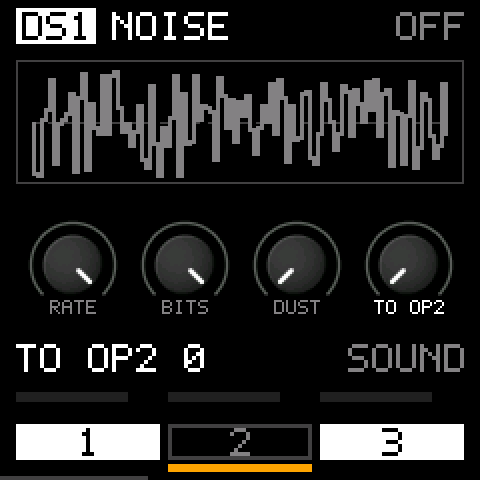
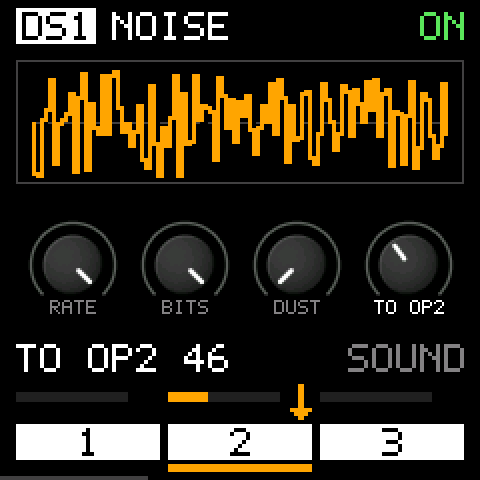
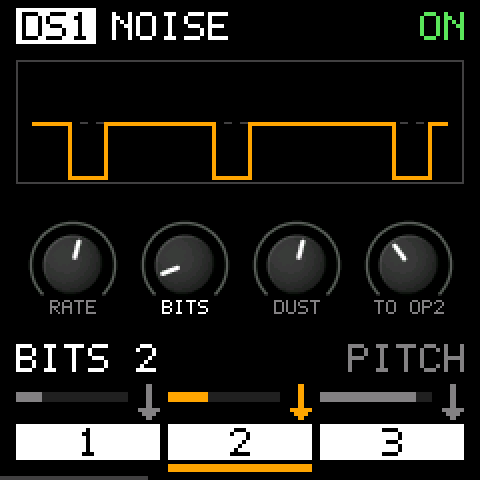
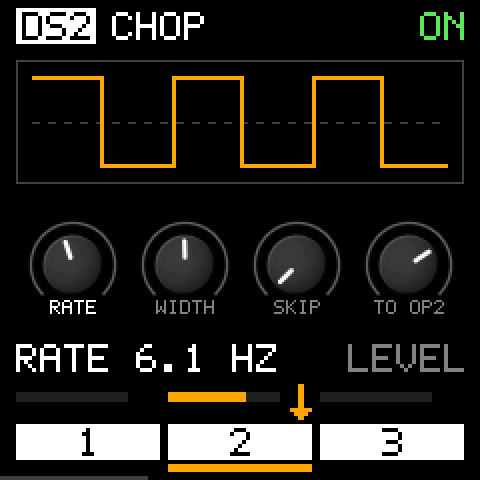
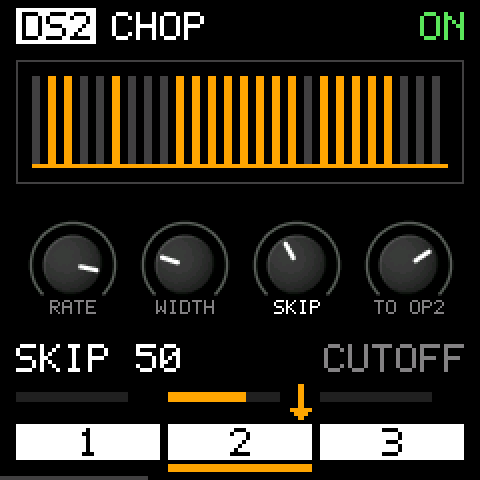
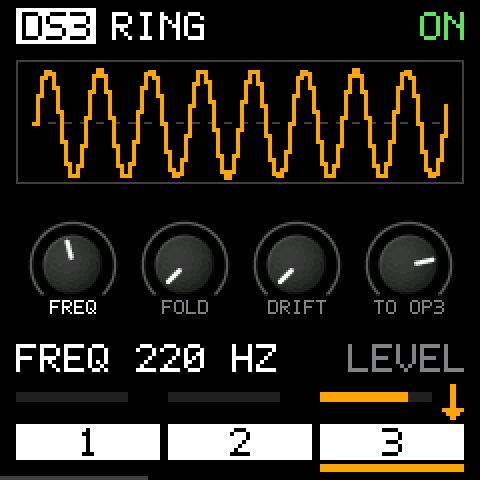
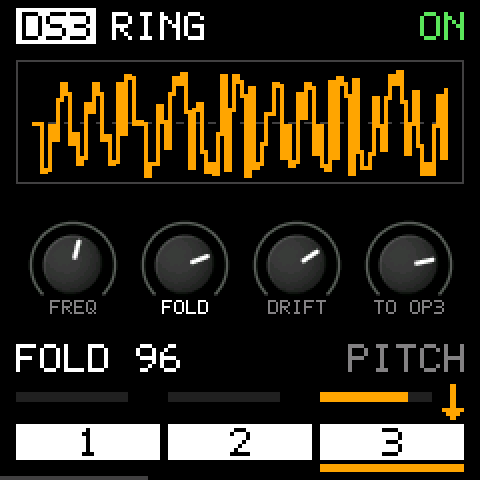
Press FX for the disruptors: NOISE, CHOP and RING, then the play page again. A disruptor is a source that the three voices share, and each voice takes as much of it as you choose. A disruptor that no voice takes shows OFF and uses no processor time.
The cyan dashed lines go from a disruptor to where a voice takes it. The orange dotted lines are the two controls that choose how much and where.
| Control | What it does |
|---|---|
| KNOB1 to KNOB3 | The disruptor’s own values, the same for the three voices. |
| KNOB4 | How much of it the selected voice takes; 0 at power-on. The screen names it TO OP1, TO OP2 or TO OP3. |
| ALGORITHM | Where the selected voice takes it: its sound, its PITCH or its CUTOFF. |
| OP1 to OP3 | As on the play page. |
| Disruptor | KNOB1 | KNOB2 | KNOB3 |
|---|---|---|---|
| NOISE | RATE, how often it takes a new value: a hiss down to slow steps | BITS, 12 down to 1 | DUST, values left out: cracks |
| CHOP | RATE, one pulse in four seconds up to a buzz | WIDTH, how long each pulse is open | SKIP, pulses left out at random |
| RING | FREQ, its tone, 8.2 Hz to 12.5 kHz | FOLD, the sine bent over on itself: clean to harsh | DRIFT, its frequency wanders |
- SOUND (NOISE)
- The noise is added at the start of the voice’s chain, so the voice’s filter and feedback cable shape it.
- LEVEL (CHOP)
- After the voice’s chain, the voice is cut while the pulse is closed.
- LEVEL (RING)
- After the voice’s chain, the voice’s sound is multiplied by the tone: a ring modulation.
- PITCH
- The disruptor bends the pitch of the voice’s oscillators, as an FM link does.
- CUTOFF
- The disruptor moves the voice’s filter cutoff, up to 3 octaves.
The LFO Bank
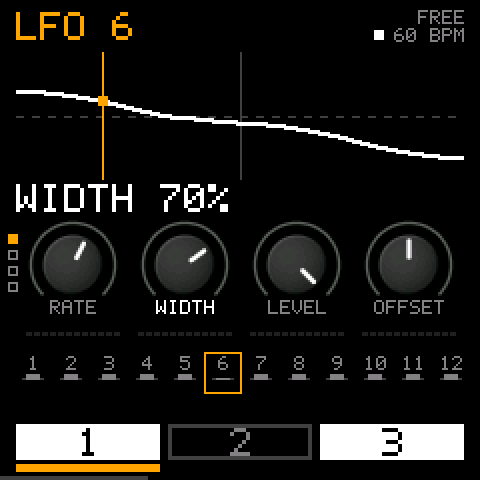
Press LFO for the bank: twelve LFOs for the whole instrument, and a clock. They are apart from the LFOs inside each style, and they run all the time. SELECT shows an LFO. Press LFO again to go back.
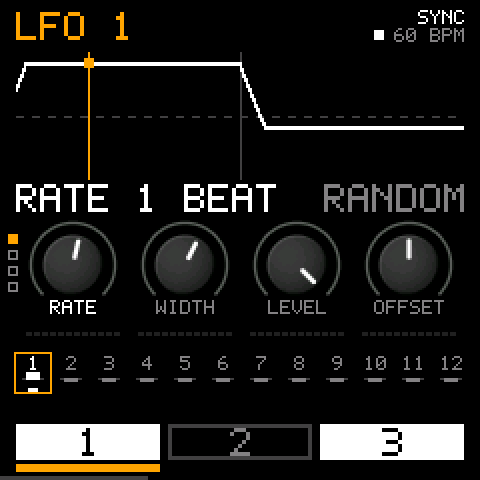
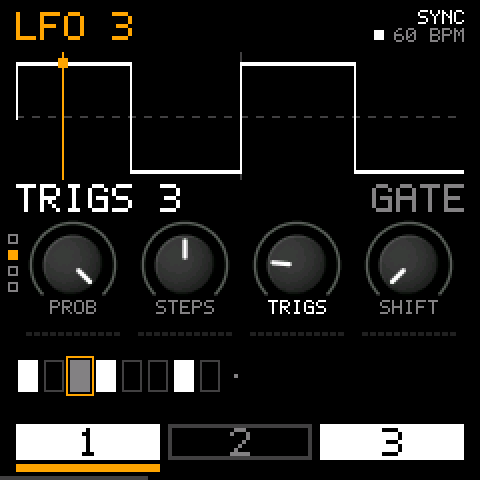
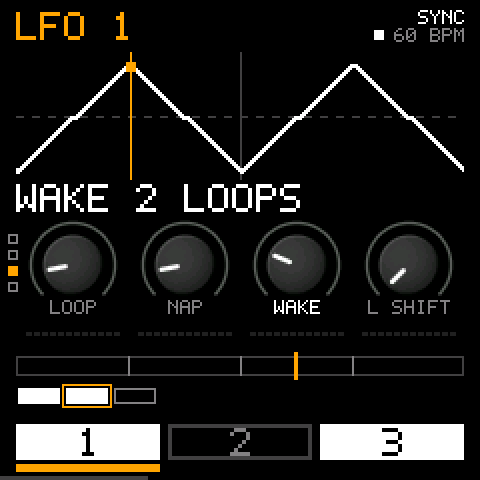
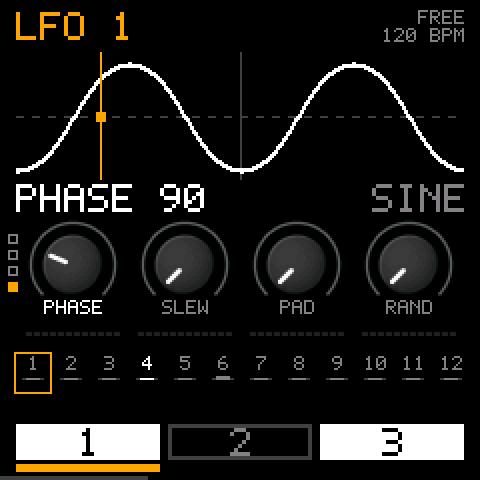
An LFO is a shape, steps that play or not, and a loop. The white keys 1 to 4 choose the layer, what the four right knobs hold: layer 1 to layer 4. Small squares at the left of the knobs show the layer in hand.
| Control | What it does |
|---|---|
| SELECT | The LFO on the screen. |
| White keys 1 to 4 | The knobs’ layer, 1 to 4. The key of the layer in hand blinks, and its square on the screen is filled and amber. |
| ALGORITHM | The LFO’s shape, one of 14. In layer 4: its RANGE, BOTH (each way from the value) or UP (up only). |
| OCT+ | SYNC on or off: the LFO runs free, or locks to the clock. |
| PRESETS | The clock’s tempo, 10 to 300 BPM; 60 at power-on. With OCT- held: to the next 10 BPM. |
| Layer | KNOB1 | KNOB2 | KNOB3 | KNOB4 |
|---|---|---|---|---|
| Layer 1 | RATE. Free: one cycle in 63 seconds up to 24.5 cycles a second. With SYNC: 32 beats a cycle up to 16 cycles a beat | WIDTH, the shape’s own value | LEVEL, how far it goes | OFFSET, a fixed height that is added |
| Layer 2 | PROB, how often a step plays | STEPS, the pattern’s length, up to 16 | TRIGS, how many of the steps play | SHIFT, turns the pattern |
| Layer 3 | LOOP, the beats before the LFO starts again, up to 32 | NAP, the loops it sleeps | WAKE, the loops it plays before it sleeps | L SHIFT, moves where the wake and the nap start |
| Layer 4 | PHASE, where the LFO is in its cycle | SLEW, how soft its moves are | PAD, empty steps at the pattern’s end | RAND, random trigs in the empty steps |
- Layer 1: the wave
- The shape of one step. LEVEL at 0 makes the LFO a fixed value that you set with OFFSET.
- Layer 2: the steps
- One cycle of the shape is one step. TRIGS of the STEPS play, as far from each other as possible: a Euclidean pattern. A step that does not play gives the OFFSET alone; a random shape keeps its height.
- Layer 3: the loop
- The LFO starts again after LOOP beats, and its random heights and steps are the same each time round: a random LFO becomes a pattern. A free LFO counts its own cycles.
- Layer 4
- The values you set less often: PHASE, SLEW, PAD and RAND.
The 14 Shapes
| Shape | What WIDTH does |
|---|---|
| GATE, SOFT GATE | The part of the step it is up. SOFT GATE has a short rise and fall, so it does not click. |
| RATCHET 2, RATCHET 4 | The step has 4 or 8 places for a pulse. WIDTH is how many of them have one. |
| TRIANGLE | Where the top is: a ramp down at 0, a triangle at 50, a ramp up at 100. |
| TRAPEZOID | The length of the flat top. |
| SINE, HUMP | Where the top is: the wave leans to the start or to the end. HUMP is half a sine. |
| EXP, SOFT EXP | An envelope that falls fast, then slowly. WIDTH is the time of the fall. |
| LOG, SOFT LOG | An envelope that stays up, then falls. WIDTH is the time of the fall. |
| RANDOM | A new random height each step. WIDTH is how far the heights go from the middle. SLEW makes the edges smooth. |
| SOFT RANDOM | Random hills, from one height to the next. WIDTH is how round the hills are. |
Give an LFO to a Value
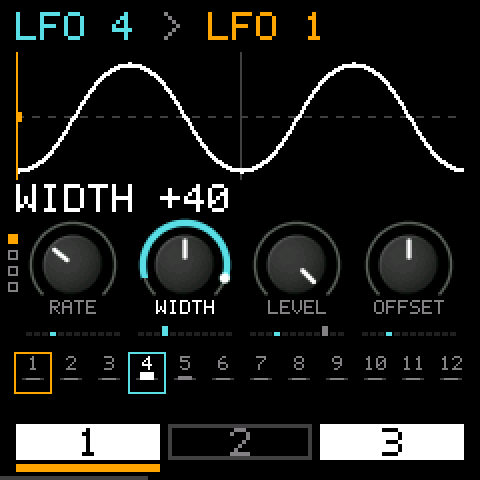
Hold LFO, choose an LFO with SELECT, then turn a knob. The knob sets the amount of that LFO on the value it holds, from -100 to +100; below 0, the LFO moves the value upside down. With OCT- held, the amount snaps to -100, -50, 0, 50 or 100. Several LFOs can move one value, and they never take it past its knob’s two ends.
| Where | The knobs set the amount on |
|---|---|
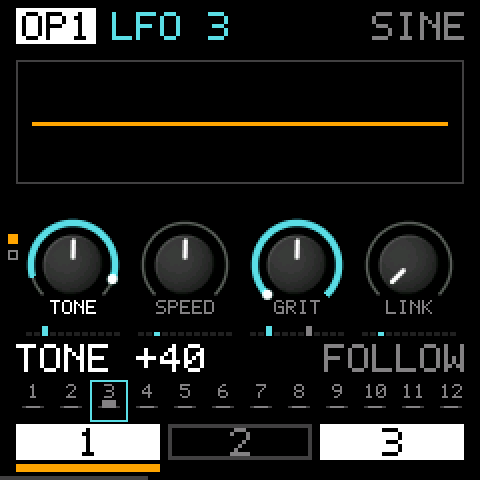
| LFO held on the play page | In layer 1, the selected voice’s TONE, SPEED, GRIT and LINK, and its STYLE on ALGORITHM: at 100, the whole list of styles each way, and the voice takes the nearest style. In layer 2, its FREQ (up to an octave each way), GAIN and OWN; PRESETS is the FREQ too. |
| LFO held on the LFO page | The four values of the layer in hand, for the LFO on the screen. PRESETS: the clock’s tempo, up to twice or half. |
While you hold the key, the top line of the screen names the LFO you give, then what takes it: LFO 4 > LFO 1. Each dial shows, in cyan, the range that LFO alone moves the value over.
Each dial is a round knob with a line where you set it. When LFOs move a value, an amber arc on its ring shows the range they move it over, and a lit dot shows where the value is now. An LFO that goes up only moves the value to one side of the line. Under each dial, twelve small marks stand for the twelve LFOs; a taller mark is an LFO that moves that value.
The Mixer
Press GLO for the end of the chain. The mixer is its first module: GLO opens it the first time, then the module you had open last. Press GLO again to go back to the play page.
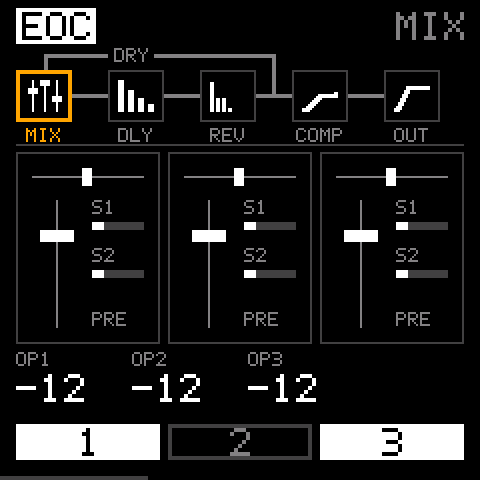
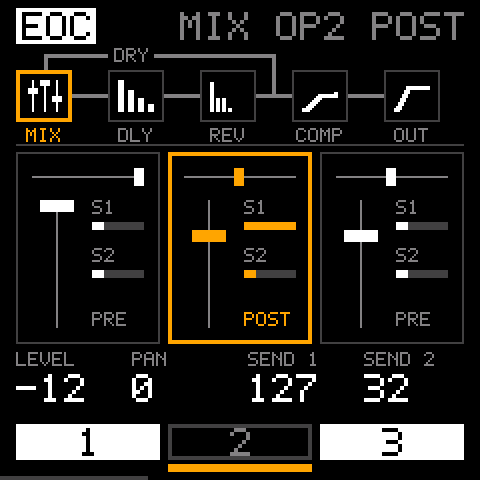
The mixer has a channel for each voice, with its level, its pan and two sends: SEND 1 goes into the delay, SEND 2 into the reverb.
- SELECT moves along the end of the chain: MIX (no channel), MIX OP1, MIX OP2, MIX OP3, then the delay, the reverb and the compressor.
- On MIX, KNOB1 to KNOB3 are the three voices’ levels.
- On a channel, the four knobs are its LEVEL, PAN, SEND 1 and SEND 2, and OCT+ takes its sends before its level (PRE) or after it (POST).
The End of the Chain
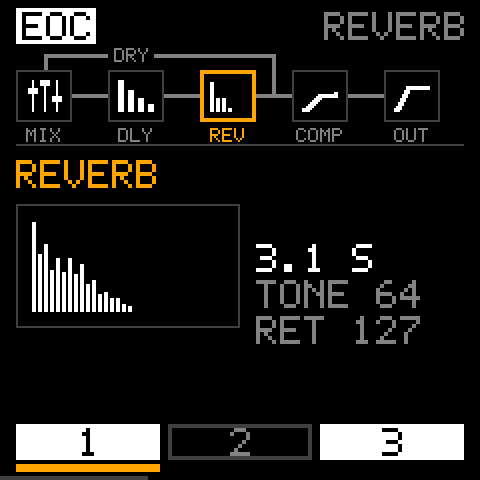
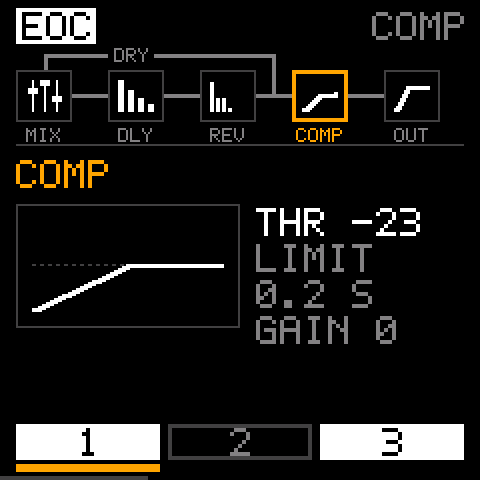
Turn SELECT past the mixer for the effects. The sends go into the delay and the reverb, and the delay’s echoes go into the reverb too. The voices, the echoes and the reverb then meet in the compressor, before the MASTER knob.
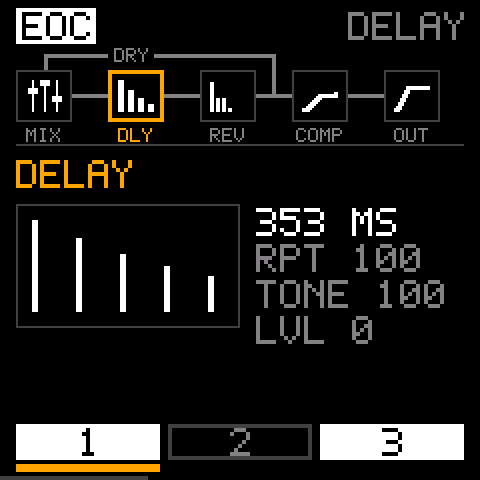
After the mixer, SELECT chooses the delay (DLY), the reverb (REV) or the compressor (COMP). KNOB1 to KNOB4 are its values; with OCT- held, each click takes a value to the next of its bottom, its middle, its value at power-on and its top. The delay is silent until you turn its LVL up.
| Effect | KNOB1 | KNOB2 | KNOB3 | KNOB4 |
|---|---|---|---|---|
| Delay | TIME, 1 ms to 0.99 s | RPT, the repeats | TONE, the echoes’ highs | LVL, the echoes’ level (0 at power-on) |
| Reverb | None | DECAY, its time | TONE | RET, the return |
| Compressor | THR, the threshold, 0 to -47 dB | The ratio, 1.0 to 1 up to LIMIT | The release, 20 ms to 2 s | GAIN, 0 to 24 dB |
Before You Install
This page describes V0.38, the latest release. Until V0.33, its name was DR1. BOURDON is early work:
- The six styles and the ranges of the knobs are a first estimate.
- BOURDON saves its values only when you press SAVE. At power-on, it starts with the values saved last, all the voices off.
- It is tested on one FM-1, with the Puya P25Q80 flash.
You install BOURDON at your own risk. An install that goes wrong can leave an FM-1 that does not start. There is a rescue tool (see Back to the Stock Firmware), but there is no warranty of any kind.
- BOURDON can update itself, or go back to another firmware, only on an FM-1 with one of two flash parts: Puya P25Q80 (the first units) or UC25HQ80 (newer units). On another part, BOURDON refuses the update and only the rescue tool can replace it.
- Tested on one FM-1: an install over DR1 V0.33, the way back to M-VAVE’s stock firmware V15, and an install over V15.
Install
You need a Mac or a Linux computer, a USB cable, Git and Python 3.12. The installer’s MIDI library has ready packages for Python 3.12 and older only.
-
Get the repository with its submodule. The installer is in the submodule.
git clone --recurse-submodules https://github.com/kevinsint/bourdon.git cd bourdon -
Make a Python environment with the installer’s two libraries.
python3.12 -m venv .venv .venv/bin/pip install -r requirements.txt -
Download
sint_fm1_bourdon.fwscfrom the latest release into thebourdonfolder. Compare its SHA-256 with the one in the release notes.shasum -a 256 sint_fm1_bourdon.fwsc -
Connect the FM-1 to the computer with the USB cable and turn it on. Close every app that uses MIDI.
-
Read what is on the FM-1 now, and write it down. You need it to go back.
.venv/bin/python bsp/tools/fm1_install.py --info -
Install. The tool shows what it will do and asks you to confirm. Keep the FM-1 connected until it restarts.
.venv/bin/python bsp/tools/fm1_install.py sint_fm1_bourdon.fwsc
After the restart, the screen shows OP1 FLOOR and a frequency. The three voices are off: press the OP1 key.
Install a Newer BOURDON
BOURDON has its own USB name, SINT_BOURDON, so tell the installer where to look. SINT also finds an FM-1 with DR1 on it, the name of this firmware until V0.33: a Mac keeps the first MIDI name it saw, so its port can still be SINT_FM1_DR1. If an install was cut off, run the same command again: it continues.
.venv/bin/python bsp/tools/fm1_install.py sint_fm1_bourdon.fwsc --port SINTBack to the Stock Firmware
Download the official FM-1 firmware V15 (
FM-1.fwsc) from M-VAVE: m-vave.com, Download, PC Firmware.-
Install it with the same tool.
.venv/bin/python bsp/tools/fm1_install.py FM-1.fwsc --port SINT
If the FM-1 does not start any more, use the rescue tool, bsp/tools/fm1_rescue.py. Its instructions are at the top of that file.
Licence and Credits
BOURDON is made by Kevin Sint and is under the GNU General Public License, version 3 only (GPL-3.0-only). The versions up to V0.27 were published under the Mozilla Public License 2.0, and those copies stay under it.
- BOURDON is built on felucca-bsp by Leo Kuroshita, Hügelton Instruments (MPL-2.0): the chip and board code, the update loader, the package builder and the installer.
tools/fm1img.pyandtools/lz4blk.pycome from the same family of projects (MPL-2.0).app/app.ldis felucca-bsp’s memory map with more RAM. These three files stay under the MPL-2.0.- A built package holds three files of JieLi’s AC79 SDK, under the Apache License 2.0. Its text goes with every release.
To build BOURDON from its source, see the repository.